The oldest way to get better at chess is still the best one: play real people, then find out what went wrong. Most players only do the first half. They finish a game, feel the result, and click for the next one, and the lesson inside the game disappears with it.
Play Online on Lumichess is built around both halves. You play a live opponent through your own Lichess account, on a calm board, at a time control long enough to think. When the game ends, one button sends it into a full Stockfish 18 review. This guide covers how it works, which time control to choose, and how to turn each game into something you learn from.
The short version
- Play Online is free and pairs you with real people from the Lichess pool, through a Lichess account you connect once.
- It offers rapid and classical time controls, from 10 minutes to 60. Blitz and bullet are not available through the Lichess Board API.
- Slower games are where improvement happens: you have time to think, so the review afterwards shows your real decisions.
- After every game, open it in the Game Report and look at the largest swing first.
How Play Online works
Play Online uses your own Lichess account. You connect it once: Lichess asks you to approve the connection on its own site, so Lumichess never sees your password, and you can revoke it from your Lichess settings at any time. Lichess accounts are free, and one is required, because Lichess does not allow anonymous play through its Board API.
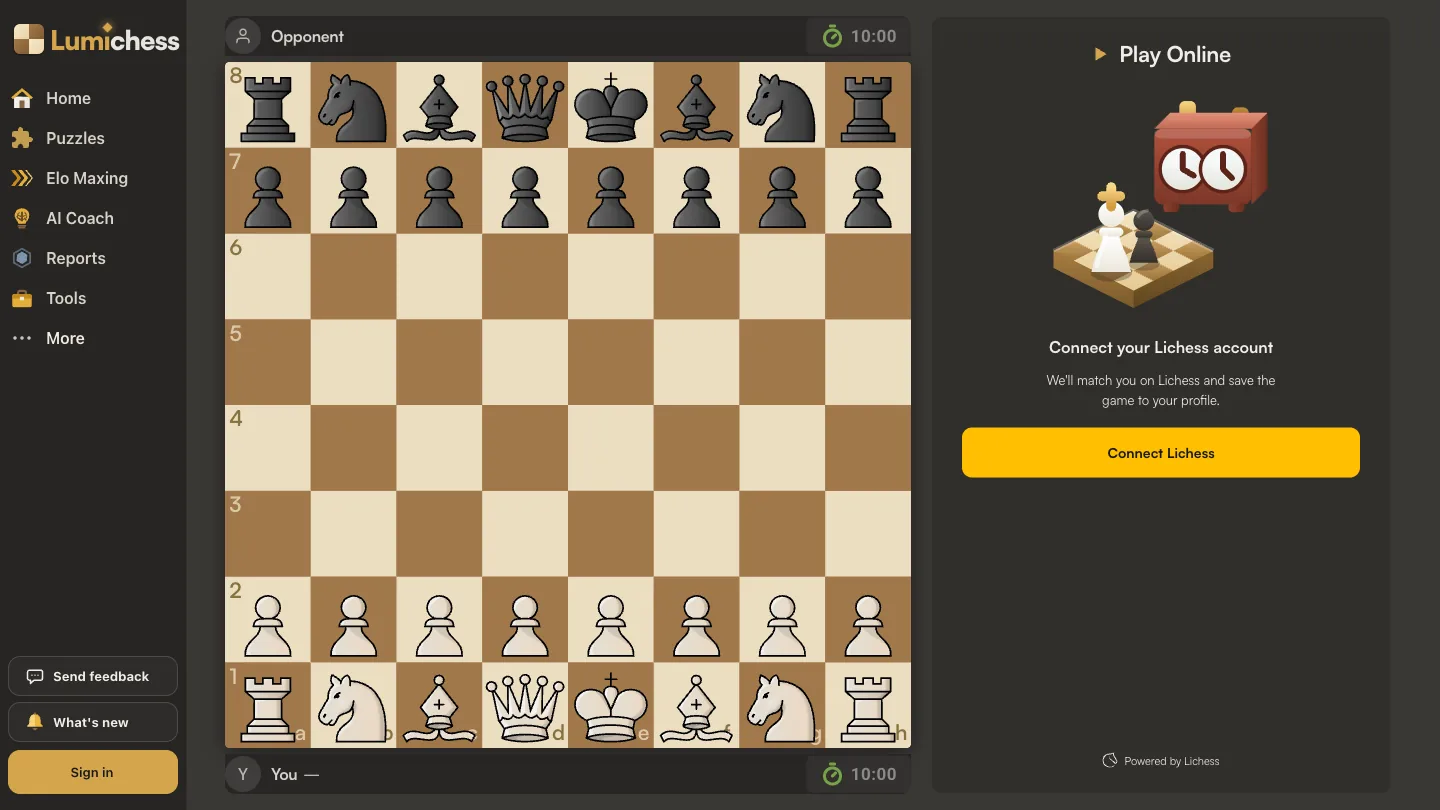
Then you pick a time control. Lumichess posts the seek into the Lichess pool, a real opponent accepts it, and you play on the Lumichess board with a live clock. The game itself is a normal Lichess game: the result, your rating change and the moves are saved to your Lichess profile exactly as if you had played there. Nothing here plays you against an engine.
Which time control to pick
Lichess sorts every game into a category by an estimate of how long it lasts: the starting time plus forty times the increment, which is roughly one player's clock over a forty-move game. Here are the eight time controls Play Online offers, with that estimate worked out:
| Time control | Per player | Category |
|---|---|---|
| 10+0 | 10 min | Rapid |
| 10+5 | 13 min 20 s | Rapid |
| 15+0 | 15 min | Rapid |
| 15+10 | 21 min 40 s | Rapid |
| 25+0 | 25 min | Classical |
| 30+0 | 30 min | Classical |
| 30+20 | 43 min 20 s | Classical |
| 60+0 | 60 min | Classical |
The first number is the minutes each player starts with, the second is the seconds added after every move. Increment matters more than it looks: 15+10 gives each player over six minutes more than 15+0 across a typical game, and it means a long game never squeezes you down to a second or two per move.
Blitz and bullet are missing for a reason that is not ours to change. Lichess only accepts open seeks through its Board API for rapid, classical and correspondence games, so a blitz seek would be refused before it reached the pool. Rather than show a button that could never pair, Play Online offers only the time controls that work.
If you are unsure, start with 15+10. It is long enough to calculate properly and to notice what your opponent is threatening, and short enough to fit two games and two reviews into an evening.
Why slower games improve you faster
It is tempting to play fast games to fit more of them in. The trouble is what fast games measure. In a three-minute game your moves come mostly from reflex, and your losses mostly from the clock. Review one afterwards and the engine will show you plenty of mistakes, but you will struggle to say why you made them, because you did not really decide anything.
In a fifteen-minute game you have time to have reasons. You look at a line, you choose, and when the choice turns out wrong, the review shows you a real decision that you can learn from. That is why a few slower games with a review after each one do more for your rating than a long evening of blitz. Once your understanding improves, it will show up in your faster games too.
A simple rhythm
One rapid game, then a ten-minute review of it, then the next game. Two or three rounds of that in a session is plenty. The review is the part that makes the next game better.
Rated or casual
Every time control can be played rated or casual. A rated game moves your Lichess rating in the usual way. A casual game does not, and nothing else changes: same pool, same kind of opponents, same clock.
Casual is the right choice when the result is not the point: trying a new opening, coming back after a long break, or playing a game you mainly want to review. Rated is the right choice when you want the pressure of a result, which is also part of what you are training. If you want to know what a rated result will do to your number, the Elo Calculator shows what a win, draw or loss is worth against a given opponent, and how Elo ratings work explains why.
What to do after the game
When the game ends, the result screen has a Game Report button. It carries the finished game straight into a full Stockfish 18 review, with nothing to copy or paste. From there:
- Before you look at the engine, remember the moment you felt the game turn, and what you were thinking.
- Go to the largest step in the evaluation graph. That is usually where the game was decided.
- Try to find the better move yourself before you read it, then compare.
- Write one sentence you can use in your next game.
The full routine is in how to review your chess games, and the guide to move classifications explains what each label in the report means. Review the wins too. A win usually contains a mistake your opponent did not punish, and those are the cheapest mistakes you will ever find.
Once you have played a batch of games, the Profile Report reads your last 1,000 games and shows which kind of mistake keeps coming back, and mistake training turns the positions you got wrong into puzzles you solve again.
Playing well on Lichess
Because Play Online games are real Lichess games, Lichess's rules apply to them. Lichess can restrict accounts that abandon games or let the clock run out instead of resigning. So play every game to its end, and resign a lost position rather than walking away. It is also simply good manners: someone else is on the other side of the board.
And never use an engine while a game is being played. The Best Move Finder and the Analysis Board are for after the game. Using them during one breaks the fair play rules of every chess site, Lichess included.
Frequently asked questions
Can I play chess online for free on Lumichess?
Yes. Play Online is free, with no limit on games, and so is the Game Report you run on each game afterwards.
Do I need a Lichess account?
Yes. Games are played and rated on Lichess through its Board API, which does not allow anonymous play. Lichess accounts are free, and you approve the connection on Lichess, so Lumichess never sees your password.
Am I playing against real people or bots?
Real people. Your seek goes into the Lichess pool at the time control you picked, and another player accepts it.
Why can't I play blitz or bullet?
Lichess only accepts open seeks through its Board API for rapid, classical and correspondence games. Play Online offers the eight rapid and classical time controls that will actually pair.
Do these games count toward my Lichess rating?
If you choose rated, yes, exactly as if you had played on Lichess. Casual games leave your rating unchanged.
What is the best time control to improve at chess?
Rapid or classical, with an increment if you can. 15+10 is a good default: long enough to calculate and notice threats, short enough to play and review two games in an evening.