I taught myself chess from 600 to 1850 with no coach and no courses. For most of that climb I was sure the thing holding me back was knowledge: the next opening, the endgame I had not studied yet. It was not. What actually moved my rating was duller and harder to admit. I started reviewing my games instead of immediately queuing the next one.
Here is the part nobody likes to hear. Most of my losses were not clever new mistakes. They were the same two or three errors, on repeat, that I never slowed down to notice. I got better the week I started missing those same things less often. The Game Report is the tool I wish I had then: a free, move-by-move read on a single game from your Chess.com or Lichess account, built so the lesson inside a loss does not slide straight into your next one.
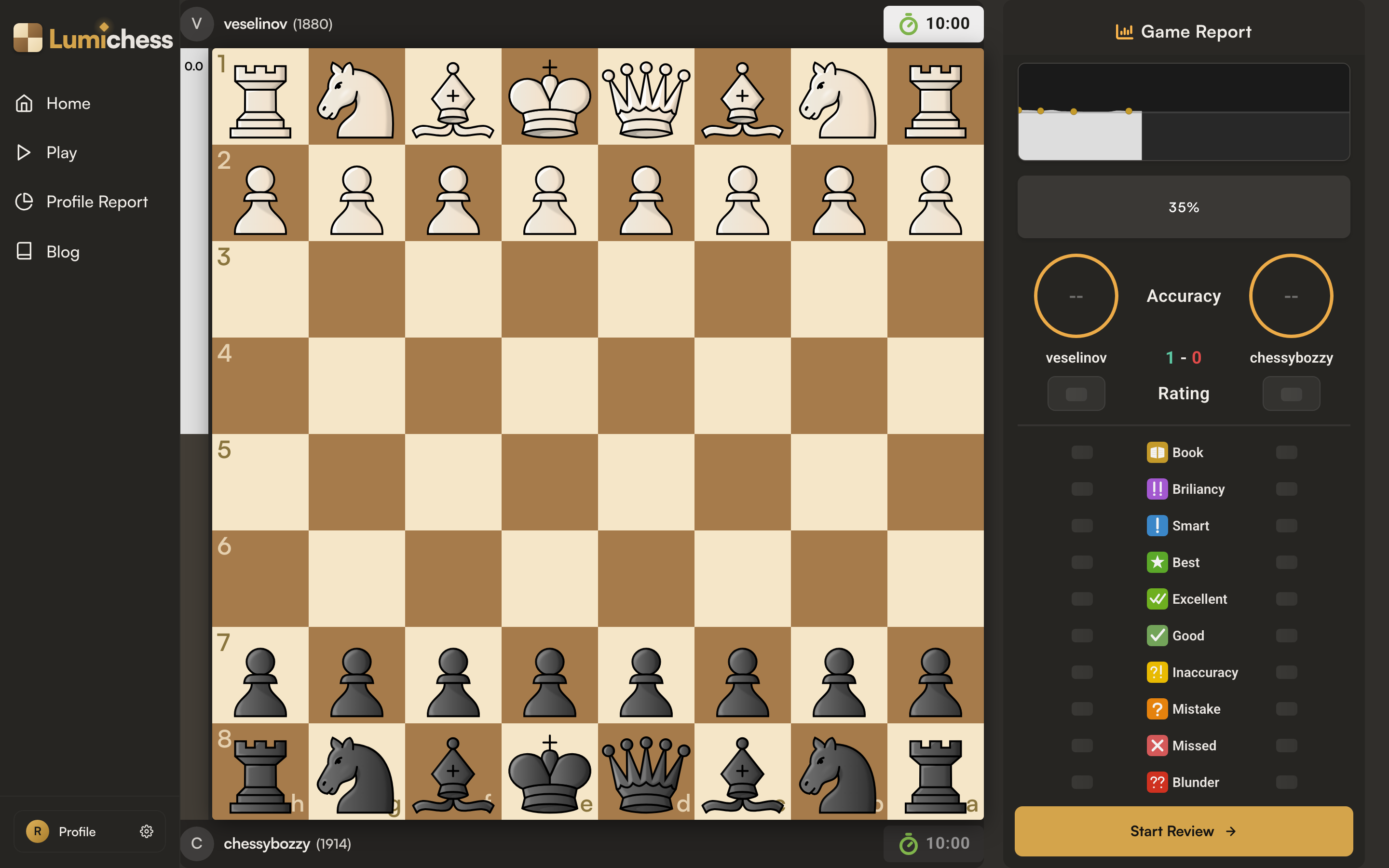
Open a game and it loads on the board with the report panel on the right. Stockfish works through the moves while the eval graph and accuracy scores fill in, and Start Review takes you into the game.
It runs Stockfish 18, in your browser
I did not want to build a tool that charged by the game or quietly capped how many you could review, because the players who most need to review are the ones grinding ten games a night. So the work happens on your own machine. Stockfish 18 runs locally in your browser. Nothing is sent to a server, there is no fee, and there is no daily limit. It weighs more than one candidate move per position, so it can tell a clearly best move from a close second, and the eval graph draws in from left to right as it goes, so you can study the opening while the endgame is still being crunched.
The whole game on one panel
When the engine finishes, the panel on the right hands you the shape of the game at a glance: an accuracy score for each player, the result, both ratings, and one plain sentence summing it up, something like "A competitive game. Your opponent was sharper in the moments that mattered."
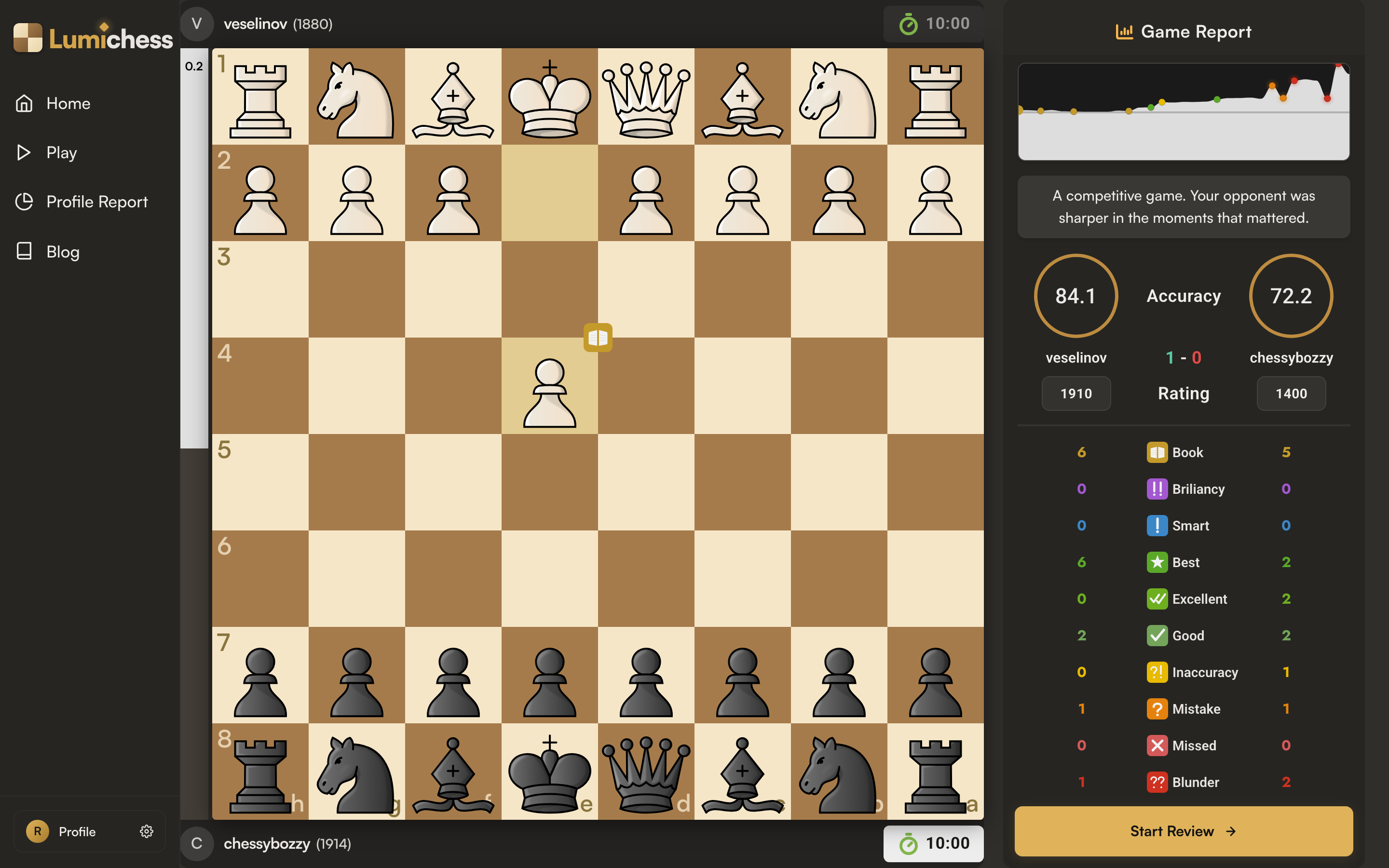
The report panel after analysis: the eval graph with a dot on every notable move, a one-line summary, an accuracy score per player, and the full classification tally counted for each side.
One thing I was stubborn about: that accuracy number is built on win probability, not raw centipawns. A one-pawn wobble when you are already winning barely matters, and the same wobble in a sharp position can lose the game. Lumichess turns every evaluation into a winning percentage first, so your accuracy reflects how much your moves actually changed your chances, not a tally of pawns that treats every position the same.
What the labels mean
Every move gets a label, and the labels tell you more than the raw numbers do. Because they are based on win probability, the same drop can be a Mistake in one position and only an Inaccuracy in another. That is the point: they weigh your errors by what they actually cost.
- Book: a known opening move, still in theory.
- Brilliancy: a brilliant move, often a sacrifice or the only move that works.
- Smart: a strong, hard-to-find move at an important moment.
- Best: the engine's top choice for the position.
- Excellent: nearly as good as the best move.
- Good: a sound move.
- Inaccuracy: a small slip, the position is still fine.
- Mistake: a clear error that changes the assessment.
- Missed: a winning chance you did not take.
- Blunder: a serious, game-changing error.
Then it walks you through it
Start Review takes the game one move at a time. The move you played wears its badge on the square it landed on, and when it was not the best, a green arrow points to the move the engine wanted, so you see the better idea instead of only being told you slipped.
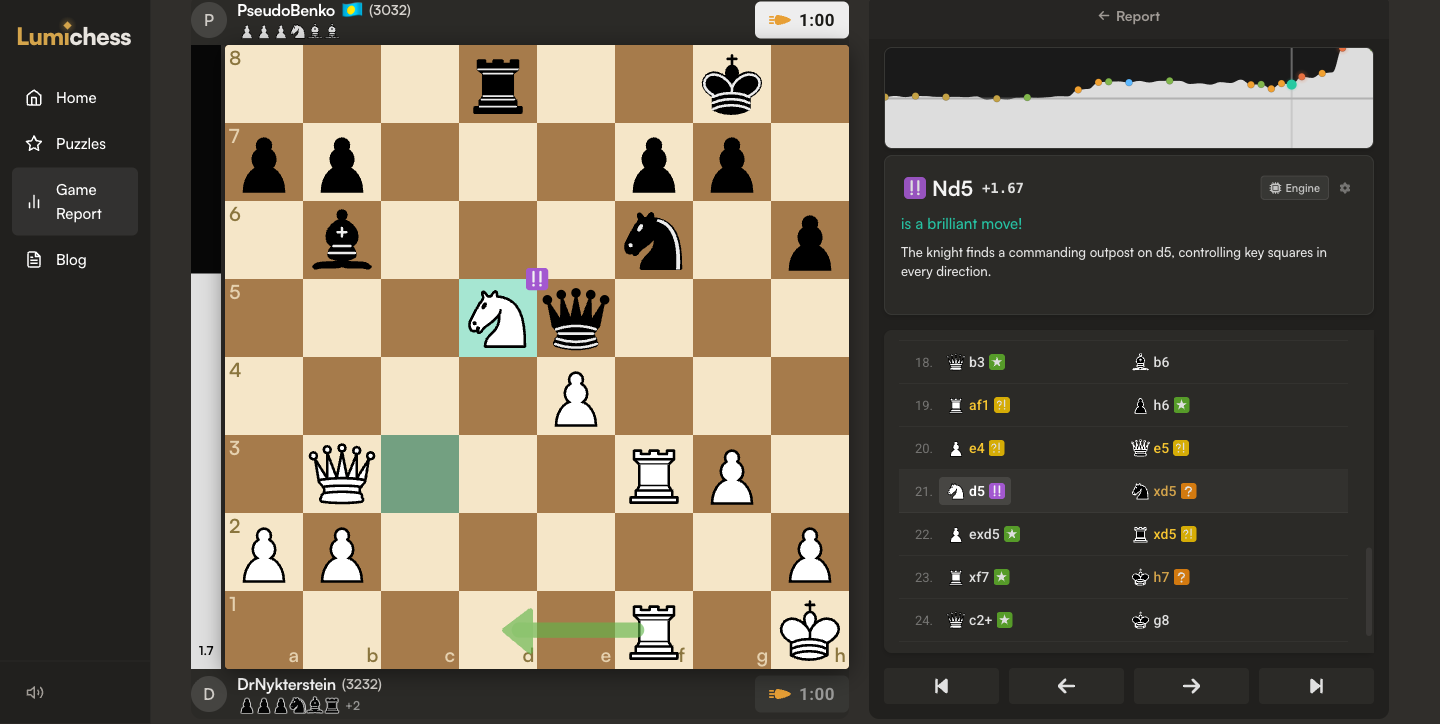
Review mode. The played move carries its badge, here a brilliant Nd5, a green arrow shows the engine's preferred move, and the move list on the right marks every move with its classification.
Each move gets a card with its classification, the move, the evaluation, and a sentence or two of commentary that names the opening or the tactic when there is one. The full move list sits underneath, every move stamped with its badge. You do not have to crawl through all of it, either: click any dot on the eval graph, any move in the list, or a label in the tally, say Blunder, and it walks you through just those. The arrow keys step move to move, the up arrow jumps back to the start, F flips the board, and an Engine toggle opens the raw lines when you want to argue with the verdict.
Make the board yours
You can think on the board while you review. Right-click and drag to draw an arrow, right-click a square to fill it, and both clear when you move on. Captured pieces and the material balance sit under each player's name, the board theme and pieces are yours to change, and your settings, analysis depth included, carry to the next game.
Where it fits
One game is the close read. When you want the pattern across many games instead of the story of one, the Profile Report runs the same analysis over roughly your last 40 and tells you which skill is genuinely weak. Insights tracks your rating, openings, and results across your whole history. Review one game, find the pattern, drill it. That loop is the whole reason I am building Lumichess. It is the loop that got me from 600 to 1850, and I think it is the one that gets you to 2000.
Frequently asked questions
Is the Lumichess Game Report free?
Yes, completely. Stockfish runs locally in your own browser, so there is no per-game fee and no daily limit on how many games you can analyse.
Do I need to upload or paste a PGN?
No. You connect a Chess.com or Lichess account and pick a game from your history, and Lumichess loads it and analyses it for you.
What engine does the Game Report use?
Stockfish 18, running in your browser, locally. Nothing is sent to a server.
How is chess accuracy calculated?
From win probability. Each engine evaluation is converted to a winning percentage, and your accuracy reflects how much your moves changed your real chances of winning, not the raw centipawn change.
What do the move classifications mean?
Every move is labelled, from Brilliancy and Best down through Inaccuracy, Mistake, Missed, and Blunder, with Book for opening theory. The labels are based on win probability, so they weight your errors by how much they actually cost.